The transfer went through, the coins didn’t arrive, and now you’ve spotted the network dropdown you skipped past. This guide shows you where those coins actually ended up, who’s able to move them, and which way of getting them back matches your situation. The detective work doesn’t take long, though an exchange recovery can drag on for days, sometimes weeks.
Have three things handy: the transaction ID (TxID), the address you pasted, and a way into the account that sent the funds. If the coins went to a wallet of your own, you’ll want its seed phrase or the hardware device too.
Plenty of these mistakes can be undone. Not all. Each step below says which camp you’re in.
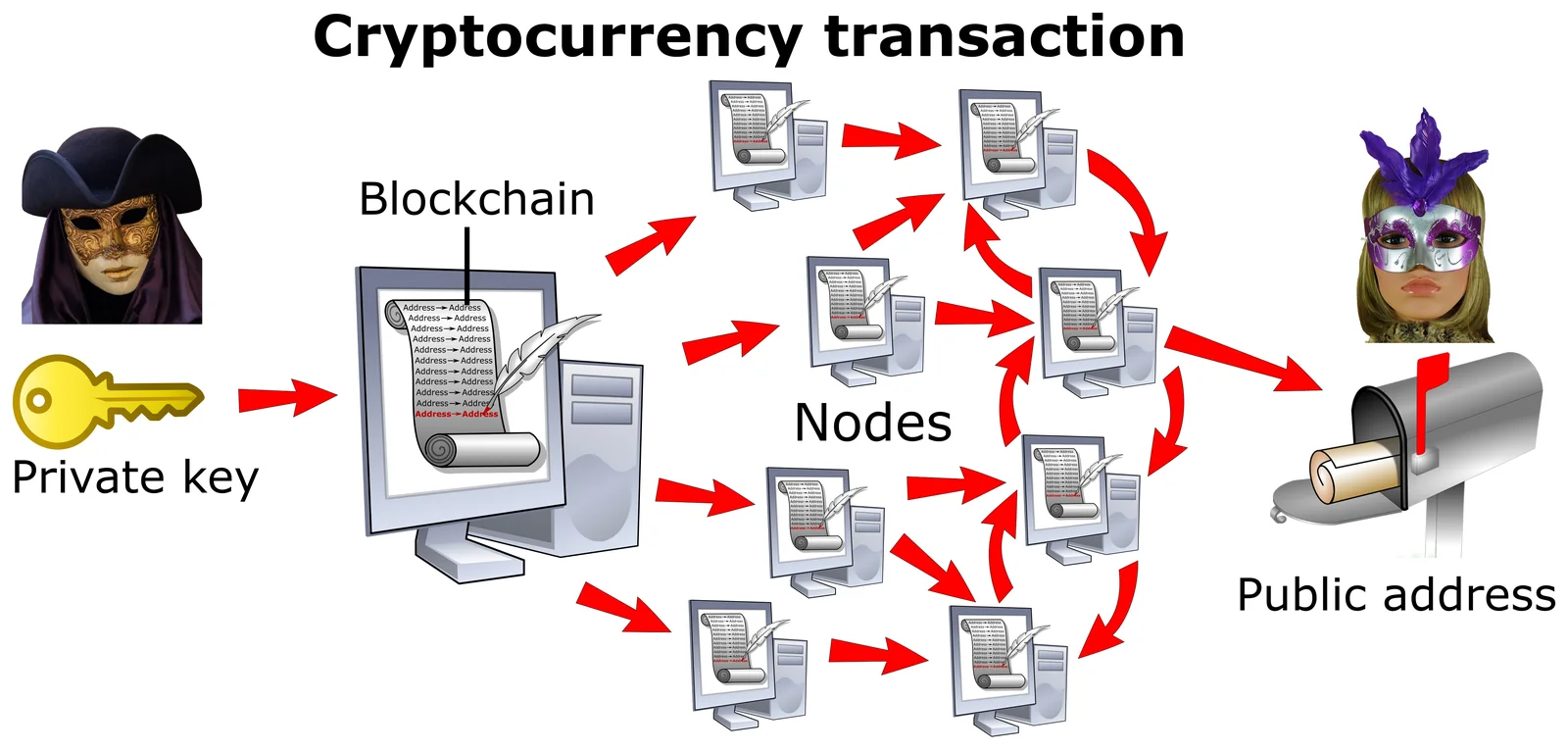
Table of contents
What to Have Ready Before You Chase Crypto Sent to the Wrong Network
- Grab the transaction ID (also called the TxID or transaction hash) from the send or withdrawal history.
- Copy the receiving address character for character. If you’re wondering how one address can live on several networks at once, our explainer on what a wallet address is covers it.
- Make sure you can log in to the exchange on either end, two-factor authentication (2FA) included.
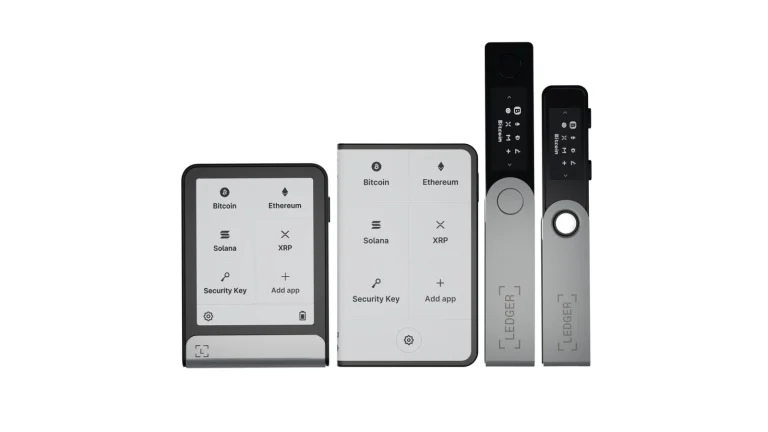
- Keep your seed phrase or hardware wallet nearby in case the coins sit in a wallet you control. That phrase never goes into a website.
- You’ll need a little of the gas token on whatever network the coins landed on (ETH if it’s Ethereum, say), because moving them costs a fee.
One hard truth first. Nobody, not the exchange, not the wallet maker, can reverse a transfer made on the wrong network or to the wrong address, and if no one holds the keys to that address on that network, the money is gone permanently.
How to Get Back Crypto Sent on the Wrong Network, Step by Step
Step 1. Don’t Send Anything Else, Just Find the TxID
Resist the urge to fire off a second transfer down the same route to “see what happens.” Instead, open the history in whichever app or exchange sent the coins. Exchanges usually call it the “Withdraw” or “Withdrawal” history, while Bybit keeps incoming funds under “Funding Account”, then “History”, then “Deposit”.
Locate the transfer and copy the TxID.
People often grab the exchange’s own internal withdrawal number by mistake. What you want is the on-chain hash, and it’s normally a clickable link into a block explorer.
Step 2. Let the Block Explorer Tell You the Network
Clicking that TxID opens an explorer, and its name gives the game away. It’s the same trick Ledger’s support pages use: Etherscan is the Ethereum network, BSCscan is BNB Smart Chain, Polygonscan is Polygon, and Arbiscan is Arbitrum.
While you’re there, check the status reads as successful and that the “to” address is the one you intended. A wrong address is a separate mess. Fixing the network won’t touch it.
Step 3. Figure Out Whose Address It Really Is
Your whole recovery hangs on this. Either the address is a wallet you hold the keys to, or it’s an exchange account, or it belongs to a stranger.
If both networks run Ethereum’s virtual machine (EVM), you’re probably fine. According to MetaMask, one Secret Recovery Phrase gives you an identical address on every EVM-compatible network, Polygon, Arbitrum, Optimism and Avalanche among them. That means USDT pushed to your Ethereum address over BNB Smart Chain is still sitting somewhere you own.
Jumping from an EVM chain to a non-EVM one is where it goes wrong. MetaMask’s view is that tokens sent to an address on a non-EVM network are probably lost for good, since a single seed phrase produces unrelated addresses on different kinds of chain.
Step 4. Your Own Wallet? Switch It to That Network
Point MetaMask at whichever network the explorer named, and the tokens ought to be there. Still blank? MetaMask may just not list that token by default, so add it by hand.
Ledger users should open Ledger Wallet (the app formerly called Ledger Live) and add an account on the network you found. Ledger’s position is that nothing’s lost so long as the EVM address came from Ledger Wallet and you checked it on the device’s screen. Where Ledger Wallet doesn’t support the network, hook the Ledger up to MetaMask and add the network in MetaMask instead.
Tron trips people up. Per Ledger, USDT and similar tokens won’t appear until the Tron account has been activated, and if Tron’s your main chain, our roundup of the best TRC20 wallet options is worth a look.
Step 5. Get the Coins Onto the Network You Meant
Ledger suggests two routes. You can return the coins to the exchange over a network it accepts and withdraw them again, properly this time, or you can push them through a bridge like Hop Protocol or cBridge.
Both cost a network fee, paid in that chain’s gas token. No gas token in the wallet, no transfer. We walk through a real bridge route in how to bridge tokens from Ethereum to Polygon.
Step 6. Sent to an Exchange? Use Its Recovery Form
An exchange deposit address can’t be imported into any wallet app, so the exchange that received the coins is your only hope. OKX’s help center puts it plainly: when a withdrawal lands on another exchange, talk to that exchange’s support.
Binance sometimes shows a “[Retrieve Now]” button next to the deposit record when an unlisted token arrived on a network it supports. No button? Go to the self-service form, paste your TxID, hit “[Submit]”, look over the coin, network, address and amount it fills in, and press “[Confirm]”.
You can follow progress in “[Application Records]”.
Over on Bybit, start with the “Pending Asset” page. Coins listed under “Unsupported Coin” can be pulled out with the “Withdraw” button to a wallet outside Bybit on the same chain, and anything that isn’t listed goes through the “Asset Recovery form”.
Kraken wants a support ticket with the TxID, coin, amount, deposit address, date and time. Coinbase doesn’t soften it: its help page says it can’t get back funds lost to an incorrect network.
There is a separate Coinbase asset recovery service, browser only, but it handles just certain unsupported assets and networks, so we wouldn’t count on it.
Step 7. Import the Keys When the App Hides the Network
Now and then the coins reach your address but your app simply doesn’t show that network. OKX’s answer is that you’ll need the private key or seed phrase for the receiving address; bring it into a wallet that does support the chain, like OKX Web3 Wallet or MetaMask, choose the network, and send the coins on to where they should be.
Stick to official apps for this. A seed phrase pasted into a site, a form or a helpful stranger’s chat window is a seed phrase you’ve given away.
What Recovering Crypto From the Wrong Network Costs
Binance, Kraken and Bybit all bill you for a recovery attempt, and not one of them promises it’ll work. Coinbase goes further and disclaims liability for anything lost through its recovery service.
Here’s what each one published at the time of writing (September 2026).
| Where the coins went | Approximate cost (checked September 2026) |
|---|---|
| Binance, Smart Retrieval | 1 USDT, and only if the retrieval works |
| Binance, an unlisted token on a network it supports | 20 USDT |
| Coinbase’s asset recovery service | 5% on whatever exceeds $100, with network fees taken in ETH on top |
| Kraken, an unsupported token on a network it supports | $200 |
| Kraken, an unlisted asset on a network it doesn’t support | $500 |
| Bybit, the manual route | A flat 200 USD, and the assets must be worth more than $500 |
| Bybit, self-service from the Pending Asset page | A USDT fee that changes from asset to asset |
| A wallet you control, or a bridge | Just the network fee, paid in that chain’s gas token |
Some chains are off the table entirely at Bybit: KCC, OEC, Ronin and Cronos. For its part, Binance turns down deposits smaller than the minimum deposit and anything sent to an address it doesn’t own.
How Long a Wrong-Network Recovery Takes
When the coins are in your own wallet, you’re only waiting on the blockchain. Flipping networks is instant, and a bridge or a send is done as soon as the chain confirms it.
Exchanges are a different story. Binance quotes 7 working days for Smart Retrieval and 30 working days for unlisted tokens on networks it supports, while Bybit reviews manual cases within 3-5 working days but warns in its terms that the whole thing could run 7-14 business days.
Kraken won’t give a number. It depends on how messy your case is.
When the Wrong-Network Fix Doesn’t Work
- If the explorer says success but the wallet looks empty, the wallet’s probably set to a different network or hiding the token, so switch over and add the token yourself.
- Missing Tron USDT in Ledger Wallet usually comes down to an account that hasn’t been activated. Activate it, then look again.
- When Coinbase’s recovery tool can’t find your transaction, Coinbase blames a mismatch in the asset type, address or network. Go back over each one and retry.
- Can’t cover the bridge or send fee? The wallet has no gas token on that chain, so buy a small amount on an exchange and withdraw it over that exact network.
- An exchange may refuse a claim that’s too small, and Bybit’s manual process won’t look at anything under $500, so weigh the fee against the amount before you file.
- If a form rejects your ID, you may have used the withdrawal number rather than the TxID; copy the hash straight from the explorer page.
How to Avoid Sending Crypto on the Wrong Network Again
- Try a tiny test amount any time the network or address is new to you.
- Choose the coin’s home network, which is Ledger’s advice too, so that means Ethereum for ETH and ERC20 tokens, Solana for SOL, and Polygon for POL.
- Confirm the receiving side lists that exact coin on that exact network, because Bybit cautions that using a chain it doesn’t list can cost you the coins permanently.
- Read the receive address off the hardware wallet’s own display. Your computer screen can lie.
- Treat every unsolicited recovery offer as a scam, since MetaMask says it never reaches out to users or asks for a Secret Recovery Phrase.
- Keep your seed phrase to yourself. That goes for support agents, bots and “recovery” firms alike.
Our guide on how to send Bitcoin to another wallet goes through a careful sending routine, address checks and all. And if Coinbase is where you usually withdraw from, the walkthrough for transferring from Coinbase to Coinbase Wallet shows that network picker screen one step at a time. Before the next transfer, our guide to choosing the right network when sending crypto runs the checks that stop this happening twice.
Questions People Ask After Sending Crypto to the Wrong Network
Are coins sent on the wrong network gone for good?
Sometimes, but often they aren’t. Coins that reached your own address on a different EVM-compatible network still belong to you. The bad cases are a non-EVM address or one nobody holds the keys to, and those coins are probably lost.
Will Coinbase get back crypto I sent over the wrong network?
No. Its help center says it can’t recover funds lost that way, and its asset recovery service only works for certain unsupported assets and networks.
What does Binance charge to recover a mistaken deposit?
It’s about 1 USDT for Smart Retrieval and about 20 USDT for an unlisted token on a supported network. You only pay if the retrieval succeeds.
My USDT went over BNB Smart Chain to my Ethereum address. Now what?
Relax a little, because that address is identical on both EVM networks. Switch the wallet to BNB Smart Chain and add the token, then either bridge it or send it back to an exchange and withdraw again on Ethereum.
Someone messaged me offering to recover my funds. Should I pay?
Never. MetaMask calls anyone who does that a scammer.
How long do exchanges take to recover a deposit?
Binance quotes anywhere from 7 to 30 working days, depending on the case, and Bybit reviews manual requests in 3-5 working days while warning the full process may take 7-14 business days.
Where That Leaves Your Wrong-Network Transfer
Picking the wrong network doesn’t automatically cost you the coins. Get the TxID, read the explorer, and pin down who holds the receiving address.
An EVM wallet of your own just needs switching to the right network before you bridge or send the coins back. With an exchange, you’re filing its recovery form and accepting a fee plus a wait, which annoys us but beats losing everything. A non-EVM address with no one holding its keys is the case where we’d write the coins off.
This article is for general information only and is not financial, legal, or investment advice. Prices and features change; check the vendor’s official page before buying.