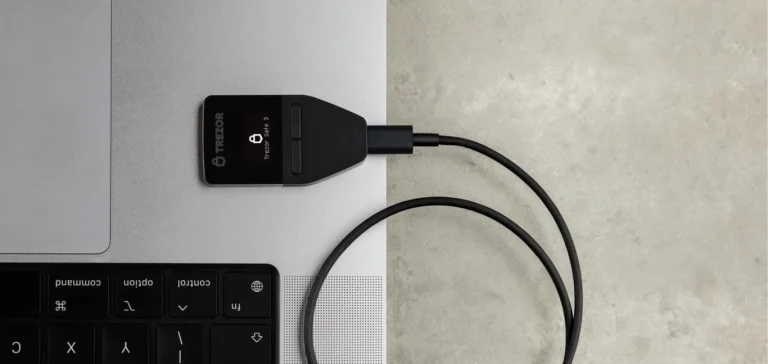
Putting a seed phrase in a password manager means typing your wallet’s 12 or 24 recovery words into 1Password, Bitwarden, LastPass, KeePass or a similar app. I understand the pull, since that app already guards the logins you care about most. MetaMask, Trezor and Ledger still all say the words should never sit on a device that goes online.
I’ll walk through what a password manager actually does with a seed phrase, how LastPass users ended up losing coins, what the wallet makers tell you, and which setups hold up better. New to the term? Our seed phrase guide explains it first.
Table of contents
What it means to keep a seed phrase in a password manager
Your wallet shows you a seed phrase exactly once, during setup. You’ll also see it called a recovery phrase or Secret Recovery Phrase. The words are picked from BIP-39, a standard list of 2048 English words, and most phrases run to 12, 18 or 24 of them.
MetaMask gives you 12. A Ledger gives you 24.
Anyone holding those words owns the wallet, full stop. Your phone, your hardware wallet and your PIN don’t come into it: a thief enters the words into any compatible app and sends the coins wherever they like.
A password manager, by contrast, keeps your logins in an encrypted vault that opens with a single master password. Most of them sync that vault through the company’s cloud so your phone and laptop stay in step. KeePass is the odd one out, since it stores the vault as a file on your own machine.
In practice, people paste the words into a secure note. 1Password has gone a step further with a “Crypto Wallet” item type that has labeled fields for the recovery phrase, the wallet password and the address.
How a password manager guards your seed phrase
Everything in favor of this setup comes down to encryption. Save a seed phrase in a typical cloud-synced manager and this is roughly the path it takes:
- You enter the words into a note or item on your phone or computer.
- Your master password gets stretched into an encryption key by a key derivation function (KDF), a calculation that’s slow on purpose so each guess costs an attacker time. Out of the box, Bitwarden runs PBKDF2-SHA256 at 600,000 iterations.
- Encryption happens on your own device before anything leaves it. In Bitwarden’s case that’s AES-256-CBC with HMAC, and the company states it can’t reach your master password or keys.
- The scrambled vault then copies itself to the vendor’s servers and on to your other devices.
- Open the item later and the app shows the words in plain text, ready to copy to the clipboard or autofill.
With 1Password there’s an extra ingredient. Its Secret Key, 34 letters and numbers carrying 128 bits of entropy, gets mixed in with your account password, and the company never holds a copy. That means a vault lifted from 1Password’s servers can’t be opened just by guessing your password.
I’d compare it to a well-built safe you carry everywhere. The lock is fine. The problem is that the safe lives on the same online devices you use for email, browsing and every random download, which is exactly where you don’t want your recovery words.
Where a seed phrase in a password manager goes wrong
Encryption only helps while the data stays scrambled and nobody learns the master password. Here’s what it looks like when one of those gives way.
What happened with LastPass
LastPass announced on December 22, 2022, that an intruder had walked off with a backup of customer vault data from its cloud storage. Inside were encrypted fields like saved usernames, passwords, secure notes and form-fill data. Website URLs came along too, and those weren’t encrypted at all.
The company’s reassurance was that its defaults (100,100 PBKDF2 iterations plus a master password of at least 12 characters) would take millions of years to crack. That held only for accounts on those defaults.
In September 2023, KrebsOnSecurity found older accounts that still had somewhere between 1 and 500 iterations, and noted LastPass hadn’t asked existing users to change their master password. Researchers Taylor Monahan and Nick Bax had by then tied more than 150 victims and over $35 million in stolen crypto to one shared habit: those people kept their seed phrases in LastPass. Big thefts were landing at a rate of 2 to 5 a month from December 2022 onward.
It didn’t stop there. Federal prosecutors in northern California announced in March 2025 that they’d seized roughly $24 million in crypto connected to a $150 million theft carried out on January 30, 2024. KrebsOnSecurity reported that the seizure complaint, which a US Secret Service agent wrote, traces that theft back to the 2022 LastPass breaches and describes victims who’d saved their seed phrase in LastPass “Secure Notes”.
What bothers me most here is the timeline. Once a vault is copied, attackers can grind away at it offline for years, and all they have to do is find the weak master passwords in the pile.
When the app itself has a bug
Keeping the vault offline doesn’t make you immune. KeePass 2.x versions older than 2.54 had CVE-2023-32784 (published May 15, 2023, CVSS 7.5), which let someone pull the master password, minus its first character, out of a memory dump, swap file or hibernation file, even with the database locked. Version 2.54 closed the hole.
Browser extensions are their own can of worms. Security researcher Marek Tóth demonstrated DOM-based extension clickjacking at DEF CON 33 on August 9, 2025, and every one of the 11 password manager extensions he tried fell for it on default settings. A single click on a hostile page could leak card numbers, logins and 2FA codes.
His January 2026 update still named 1Password, Bitwarden, LastPass and iCloud Passwords as affected.
One slip and everything’s exposed
Put the seed phrase in there and your email, your exchange account and your wallet all hang off one master password. If malware lands on your laptop, or you type that password into a phishing page, or it simply turns out to be weak, the attacker gets the lot in one go.
You can usually reset a leaked exchange password. There’s no reset for a leaked seed phrase, and once a thief moves your coins, nobody on earth can pull them back.
What Ledger, Trezor, MetaMask and 1Password actually say
You rarely see wallet companies this direct. MetaMask’s support page puts it plainly: “Do not store your SRP online. Online storage like the cloud or password managers are not secure and vulnerable to hacks.” It wants the phrase handwritten and tucked away somewhere physical that only you can get to.
Trezor is just as firm. Its backup guide says “Never store your wallet backup digitally,” on the grounds that someone can copy a digital file without you ever knowing.
Its suggestions are a hidden safe at home or a discreet spot on your property, with the words punched or engraved into metal. Trezor owners should also read our passphrase explainer, which covers the extra layer it offers.
According to Ledger Academy, the words should never go into any phone, computer or other device able to connect to the internet, and photos and cloud storage are out as well. If losing the paper is your worry, Ledger’s answer is a paid service called Ledger Recover, and we explain how Ledger Recover works separately.
1Password sits on the other side of the fence. It made a Crypto Wallet item type, and back in February 2022 it launched a “Save in 1Password” button inside Phantom that files away the wallet password, the address and the secret recovery phrase in a single step.
So one big password manager actively encourages it. The three wallet makers above tell you not to, and on this one I’m with the wallet makers.
Here’s how the usual choices stack up side by side.
| Where you keep it | What can go wrong | The wallet makers’ view |
|---|---|---|
| A cloud password manager such as 1Password, Bitwarden or LastPass | The vault gets stolen, the master password is phished or weak, malware, or an extension bug | MetaMask and Trezor tell you not to |
| An offline password manager (a KeePass file) | Malware on that computer, or an app flaw like CVE-2023-32784 | Ledger says never on a device that connects to the internet |
| A photo, an email, a notes app or a cloud doc | Someone takes over your cloud account, or a synced backup leaks | All three say no |
| Paper | It burns, gets wet, fades, or someone stumbles on it | Fine if you hide it well |
| A metal plate or capsule | Someone stumbles on it | Both Trezor and Ledger suggest it |
| Paper or metal, plus a passphrase | Forget the passphrase and those funds are gone | Trezor supports it and says to write the passphrase down on its own |
Safer ways to store a seed phrase
- Copy the words out by hand while the setup screen is showing them, keep them in order, and compare each one against the display before you move on.
- For any amount you’d hate to lose, get the words onto metal. Our roundup of steel seed phrase backups and the Cryptotag Zeus review go through what’s out there.
- Hide the backup somewhere private, a concealed safe at home for instance. Don’t say the words out loud anywhere near a phone or smart speaker.
- Let the password manager do its actual job. That means your wallet app password, your exchange logins and your email, each one unique and each one behind 2FA.
- Want a second lock on the seed itself? Add a passphrase and keep it away from the words, bearing in mind Trezor’s warning that a forgotten passphrase can’t be recovered.
- Bigger balances belong on a hardware wallet, which never reveals the seed to the computer it’s plugged into, and our pick of the best crypto hardware wallets is a sensible place to begin.
- Already saved a seed phrase in a password manager? Assume it’s compromised. Set up a fresh wallet, write its new words on paper, and send the funds over, checking the address and the network twice, because a wrong network or wrong address means the funds are gone, and nobody can reverse it.
Seed phrase mistakes I’d avoid
- Wiping the note and calling it done. Older vault backups and synced copies can still contain the words, so the fix is moving your funds to a brand-new wallet.
- Keeping half the words in a password manager and half on paper. Part of the secret is still online, and if you lose either half you may lock yourself out.
- Assuming an old account is safe because your master password is good. Some older LastPass accounts ran on as little as 1 to 500 iterations, which makes each guess much cheaper for an attacker.
- Snapping a quick photo of the words “for now”. Phone photos usually end up in the cloud, and both Ledger and MetaMask warn against exactly that.
- Keeping your passphrase right next to your seed words, which throws away the whole point of having one.
- Entering your seed phrase on a website or in a support chat. Whoever gets those words can drain the wallet.
Questions about seed phrases and password managers
Can I safely keep my seed phrase in 1Password or Bitwarden?
Not in my view. It beats a plain text file, but MetaMask and Trezor both advise against it, because the vault is online and a single phished master password or bit of malware gives the seed away.
Did the LastPass breach actually cost people crypto?
Yes. By September 2023 KrebsOnSecurity counted more than 150 victims and over $35 million taken, and in 2025 a Secret Service complaint tied a $150 million theft to the same breach.
What about an offline manager like KeePass?
It takes the cloud out of the picture. The file still sits on a computer that goes online, though, and Ledger’s rule is that a seed phrase never goes into an internet-connected device.
My seed phrase is already in a password manager. Now what?
Make a new wallet, put its phrase on paper or metal, and move your funds across. Just deleting the note won’t cut it.
Is it fine to keep only my wallet password in a password manager?
Sure. That password just unlocks the app on one device, whereas the seed phrase rebuilds the entire wallet anywhere.
Does a passphrase help?
Partly. It stacks a second secret on the seed words, but Trezor warns there’s no way to recover it if forgotten, so write it down and keep it apart from the words.
So, should your seed phrase go in a password manager?
My answer is no. Password managers are great for passwords, but the LastPass thefts showed that a copied vault can be worked on for years, and MetaMask, Trezor and Ledger all want the recovery words kept offline.
Get the phrase onto paper, move it to metal once the balance is worth protecting, hide it well, and leave your logins to the password manager. If you’re still weighing how much to keep in an app versus offline, our hot wallet vs cold wallet comparison lays out the trade-off.
This article is for general information only and is not financial, legal, or investment advice. Prices and features change; check the vendor’s official page before buying.