A free desktop Bitcoin wallet that shows you everything it knows: that’s Sparrow Wallet in one line. The project doesn’t dress it up either, and its site says so outright: “Sparrow does not hide information from you.”
Who’s it for? People who already get Bitcoin and want their hands on the coins, the fees and the privacy settings. Anyone hunting for one app that also holds Ethereum and Solana, or a wallet that lives on a phone, can close this tab now.
Below we go through what the software does, how steep the climb is, where its security actually sits, the price, and how you pair it with a signing device. The weak spots get their own space too.
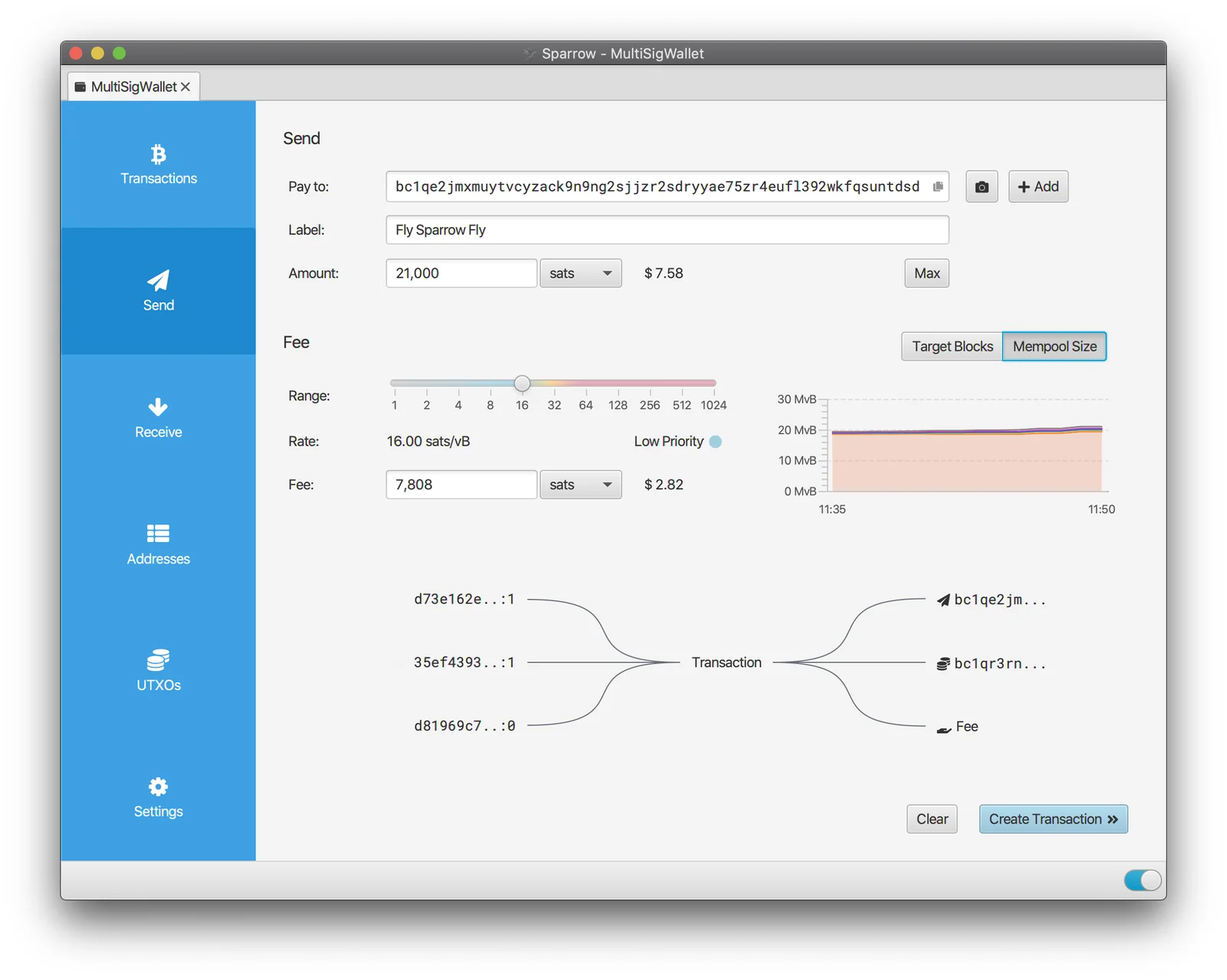
Table of contents
So What Is Sparrow Wallet, Exactly?
Sparrow runs on Windows, macOS and Linux as an ordinary desktop program. The wording on its GitHub repository is nine words long: a “Desktop Bitcoin Wallet focused on security and privacy. Free and open source.”
One person, Craig Raw, does the building. Work on the repository began in March 2020, and the v0.5 tag went up on 12 April 2020.
Today’s current release is 2.5.4, dated 27 August 2026. It’s Java code under Apache 2.0, and the repository sits at 2,135 stars, which is tiny next to Bitcoin Core and a lot for a wallet with a single maintainer.
Sparrow Wallet at a Glance | |
|---|---|
| Price | Nothing at all. Donations pay for the work. |
| Form factor | A desktop program for Windows 10+, macOS 11+ and Linux on Intel/AMD or ARM64. Linux also gets a headless Sparrow Server build. |
| Connectivity | Your choice of a public Electrum server, your own Bitcoin Core node, or a private Electrum server. Fulcrum, ElectrumX, Electrs, Electrs-Esplora, EPS and BWT all work, over SSL and Tor. |
| Key storage | Either an Argon2-encrypted wallet file on your own machine, or a hardware wallet you plug in. |
| Open source | Apache 2.0, and the builds have been reproducible since v1.5.0. |
| Supported assets | On-chain bitcoin, and that is the whole list. |
| Backup options | 12 or 24 BIP39 words, an optional passphrase, SLIP39 share recovery, output descriptors, and the encrypted wallet file itself. |
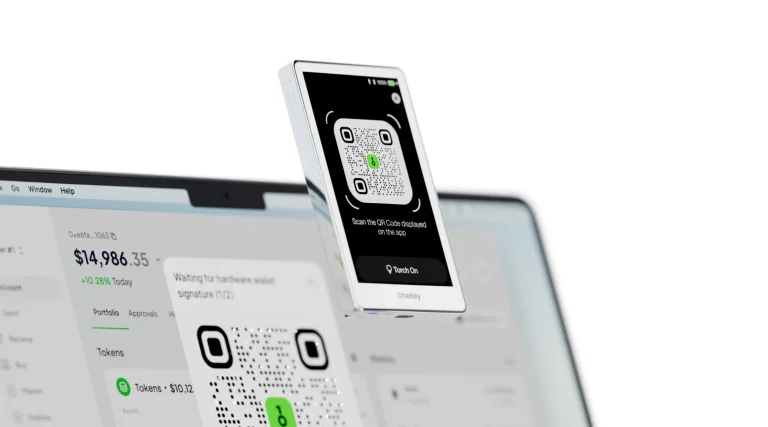
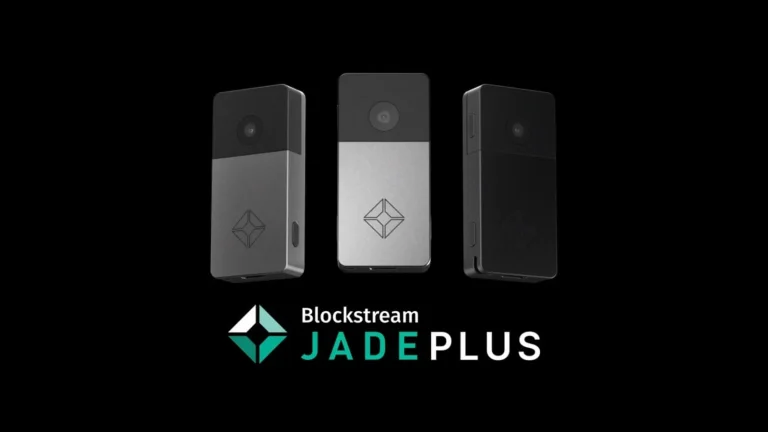
| Hardware support | Over USB it takes the Trezor, Ledger, Coldcard, BitBox02, Blockstream Jade, KeepKey and OneKey. Airgapped, it takes the Coldcard, Keystone, Passport, Specter DIY, Krux and SeedSigner. As cards, the Tapsigner, Satschip, Satochip and Keycard. |
| Best for | Bitcoin holders who want coin control, multisig and their own node sitting behind the wallet. |
What Sparrow Wallet Gets You
- It looks like a browser thanks to the tabs, but there’s no browser engine underneath. Sparrow’s features page says that keeps the attack surface small, and given how many wallet drains start with a browser extension, we’ll take it.
- PSBTs are baked in rather than bolted on. A Partially Signed Bitcoin Transaction is just a transaction file you pass between wallets and signers, which is how an offline device signs something it never fetched itself.
- Coin control means you decide which coins go out the door. Sitting beside it are a byte-level view of the transaction, an input and output diagram you can edit, and a choice between the Branch and Bound and Knapsack coin selectors.
- Labels attach to transactions, inputs and outputs. Skip them and your UTXO history turns unreadable inside a couple of years, so don’t skip them.
- Tor ships inside the app. Point Sparrow at a .onion address and the internal proxy starts on its own, with nothing extra to install.
- Single sig and multisig both work, across legacy and Segwit script types, and watch-only xpub keystores and output descriptors are handled too.
- That same transaction viewer doubles as a block explorer. Paste a transaction ID or scan a QR code, then walk the graph without handing your lookup to some website.
- Silent Payments receiving wallets arrived in 2.5.0 on 21 May 2026, airgapped signers included.
Ease of Use: Can a Beginner Handle Sparrow Wallet?
No, and it doesn’t pretend otherwise.
Getting it installed takes a couple of minutes. Then the Welcome wizard wants a connection method, offering “Public server”, “Bitcoin Core node” and “Private Electrum server”. Nothing on that screen tells a newcomer which of the three protects their privacy, so most of them guess.
Open a wallet and the tabs down the left read Transactions, Send, Receive, Addresses, UTXOs and Settings. Putting UTXOs on the main screen is not a thing consumer wallets do, and that one tab tells you who this software was written for.
Sending is where the app shines. There are “Pay to”, “Label” and “Amount” boxes, a fee Range slider, the rate in sats per vByte, and a toggle between “Target Blocks” and “Mempool Size”. Edit anything and the input and output diagram redraws, so the shape of the payment is visible well before you reach “Create Transaction”.
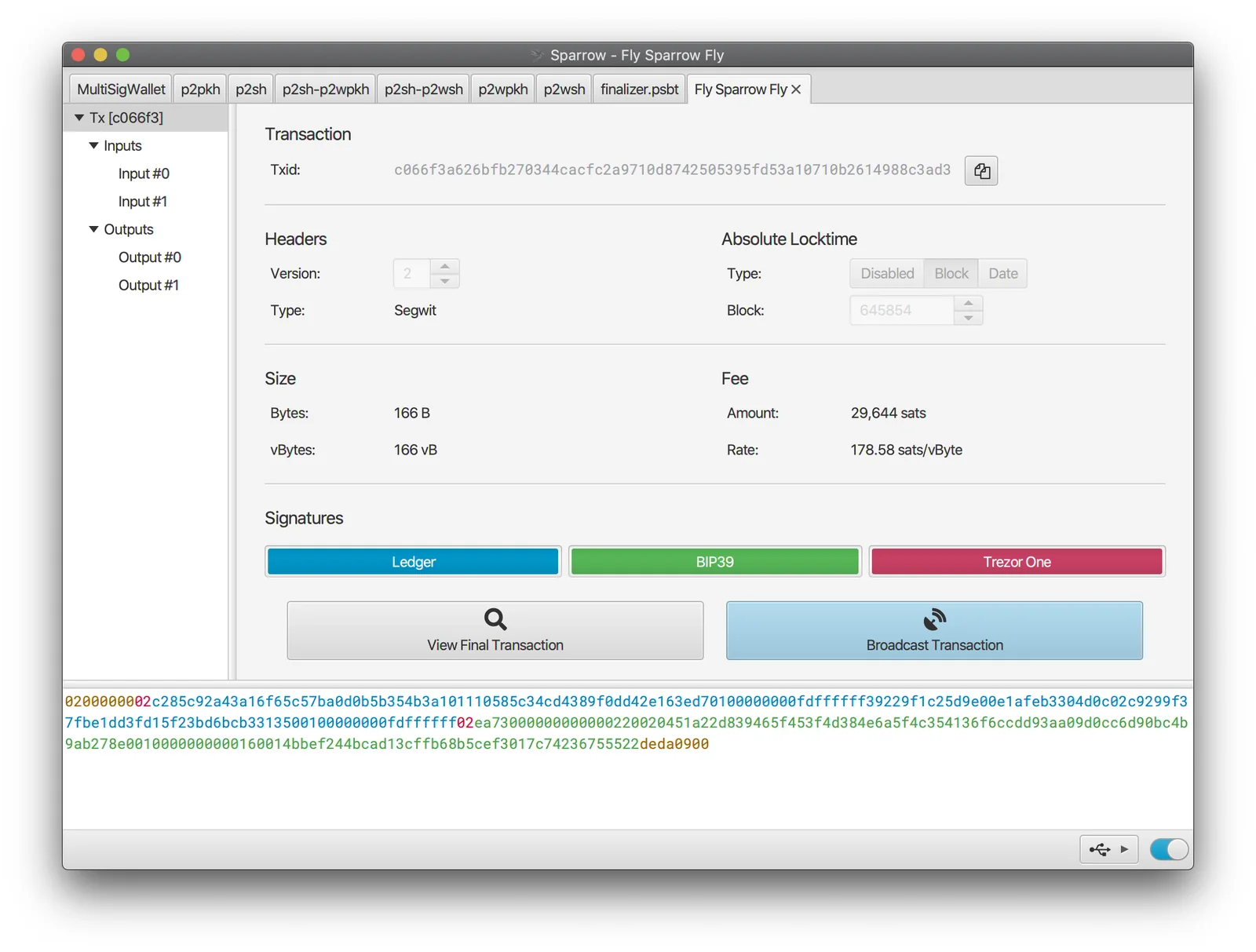
Two traps catch nearly everybody here. Restore a wallet, find coins missing, and the gap limit is almost always why; it starts at 20 and hides in Settings > Advanced. Mistype a BIP39 passphrase and Sparrow shows a completely different set of addresses, because it keeps nothing derived from that passphrase in the wallet file.
Sparrow isn’t misbehaving in either case. Both situations look exactly like stolen money the first time you meet them, which is a rough introduction to a wallet.
Security: Just How Safe Is Sparrow Wallet?
Because this is software on a general-purpose computer, the truthful answer leans on your machine as much as on Sparrow’s code.
Argon2 encrypts the wallet file, and it won the Password Hashing Competition back in 2015. Sparrow tunes it to take 500ms or more on current hardware. That’s good news for a file sitting on disk and no help at all once malware owns the box.
Keys are safest when they never reach the computer in the first place. Hardware wallets talk to Sparrow over USB, SD card, QR codes and smartcards, so the signing key stays on the device.
Shopping for one? Our guide to the best Bitcoin hardware wallets is where we’d start.
The bitcoin.org wallet chooser doesn’t soften the trade-off. Sparrow’s environment gets a “Caution”, with the note that the wallet “can be loaded on computers which are vulnerable to malware”. Validation and transparency land on “Acceptable”, while privacy and fees come out “Good”.
Every build ships GPG-signed by Craig Raw, with a manifest and a signature beside it. Since 1.8.3 you can drop both files onto Sparrow and let the app check them for you.
Prefer a terminal? Pull the key from Keybase, verify the manifest signature, then match your download’s SHA256 hash using shasum or CertUtil.
Release 2.5.4, dated 27 August 2026, is the most security-heavy thing this project has shipped. The wallet now confirms that a fetched transaction really is the txid it asked for, keeps a verified block header store pinned to per-network checkpoints, demands merkle inclusion proofs before calling anything confirmed, and checks proof of work on chain tips. Wallet and backup directories also get locked down to owner-only permissions, and the ECIES MAC comparison runs in constant time.
All of it pulls in one direction: trust the server less. For a wallet whose out-of-the-box setup talks to a stranger’s Electrum server, we think that’s the right instinct.
There’s a story behind that release. Craig Raw said an AI-assisted code review produced most of the 2.5.4 fixes, and that none of them looked likely to have put funds at risk, according to reporting by Decrypt. It came after a July 2026 attack on Coldcard’s seed-generation code that let someone rebuild private keys without ever holding the devices, and Coinkite reckoned AI may have helped the attacker spot that flaw.
One older change still stings. Whirlpool coinjoin, along with the Soroban plumbing around it, came out in version 1.9.0 on 25 April 2024. It had been part of Sparrow since 1.5.0 in September 2021, nothing has taken its place, and that annoys us.
Supported Assets: What Coins Does Sparrow Wallet Hold?
Bitcoin. That’s the whole answer.
No altcoins, no tokens, and the official feature list stops at on-chain Bitcoin. Search the home page, the features page and the FAQ for Lightning and you’ll come up empty, so plan around an on-chain wallet.
Developers and teachers get testnet, testnet4, regtest and signet. Tools > Restart in Testnet makes the switch, or you pass -n testnet on the command line, and every network keeps its own configuration folder.
Anyone holding more than Bitcoin ends up running a second wallet next to Sparrow. We don’t read that as a compromise, since most serious Bitcoin holders already split things up, and it feeds the larger question of keeping crypto in a wallet or on an exchange.
Pricing: What Does Sparrow Wallet Really Cost?
Zero. Sparrow sits under the Apache 2 licence with no premium tier, no subscription and no token attached.
Donations keep it alive. “If you find Sparrow useful, you can support it through a donation” is how the About page asks, and the supporter list there names HRF and BitBoxSwiss among plenty of others.
Take the installer from sparrowwallet.com or the GitHub releases page, and nowhere else. Counterfeit wallet downloads drain coins every month, which is the entire reason that signature check exists. Reproducible builds since v1.5.0 mean a stubborn user can compile it and compare the result.
Hardware is where the money goes. The software is free; the signing device the project tells you to pair with it is not.
Sparrow Wallet Pros and Cons, Side by Side
There’s a consistent shape to that list. Sparrow hands over more control than nearly any other Bitcoin wallet, then expects you to understand what you’re doing with it. For the right reader that’s a fine bargain, and for everyone else it’s a bad one.
Setting Up Sparrow Wallet, Step by Step
What follows tracks the official quick start and the connected hardware wallet guide. Get your seed words onto paper or metal before a single satoshi arrives. If the words and the wallet file both go, the coins go with them, and no support desk anywhere can undo that.
- Grab the installer for your platform from sparrowwallet.com and check it before you run it. Import the PGP key from Keybase, verify the manifest signature, then compare your download’s SHA256 hash against the manifest with shasum on macOS and Linux, or CertUtil on Windows.
- Launch Sparrow and work through the Welcome wizard. Choose “Public server” only while you’re testing, since the quick start warns that “It is not advisable to use Sparrow with a public server if you plan to store any significant funds.” Money you care about means “Bitcoin Core node” or “Private Electrum server”, then “Configure Server”.
- Hit “Create New Wallet”, give it a name, and click “New Wallet”. Leave Single Signature and Native Segwit P2WPKH as they are unless you know why you’re changing them.
- Going with a software wallet? Pick “New or Imported Software Wallet”. The dropdown next to “Enter 24 Words” switches you to “Enter 12 Words” if that’s your preference, and “Generate New” then makes the seed. Copy the words down, click “Confirm Backup…”, click “Re-enter Words…”, and retype them in order until “Valid checksum” appears.
- Using a device instead? Plug it in, unlock it, and shut the vendor’s own app first. Click “Connected Hardware Wallet”, then “Scan…” so Sparrow sweeps the USB ports, and approve the connection on the device if it asks.
- “Import Keystore” pulls in the public key details. Follow that with “Apply” and a password for the wallet file. Argon2 is what protects that password, so make it long and reuse it nowhere.
- Move a small amount through first, before anything that matters. Check a receive address on the device screen with “Display Address”, send a little in, then walk a payment through “Create Transaction”, “Finalize Transaction for Signing”, “Sign” and “Broadcast Transaction”.
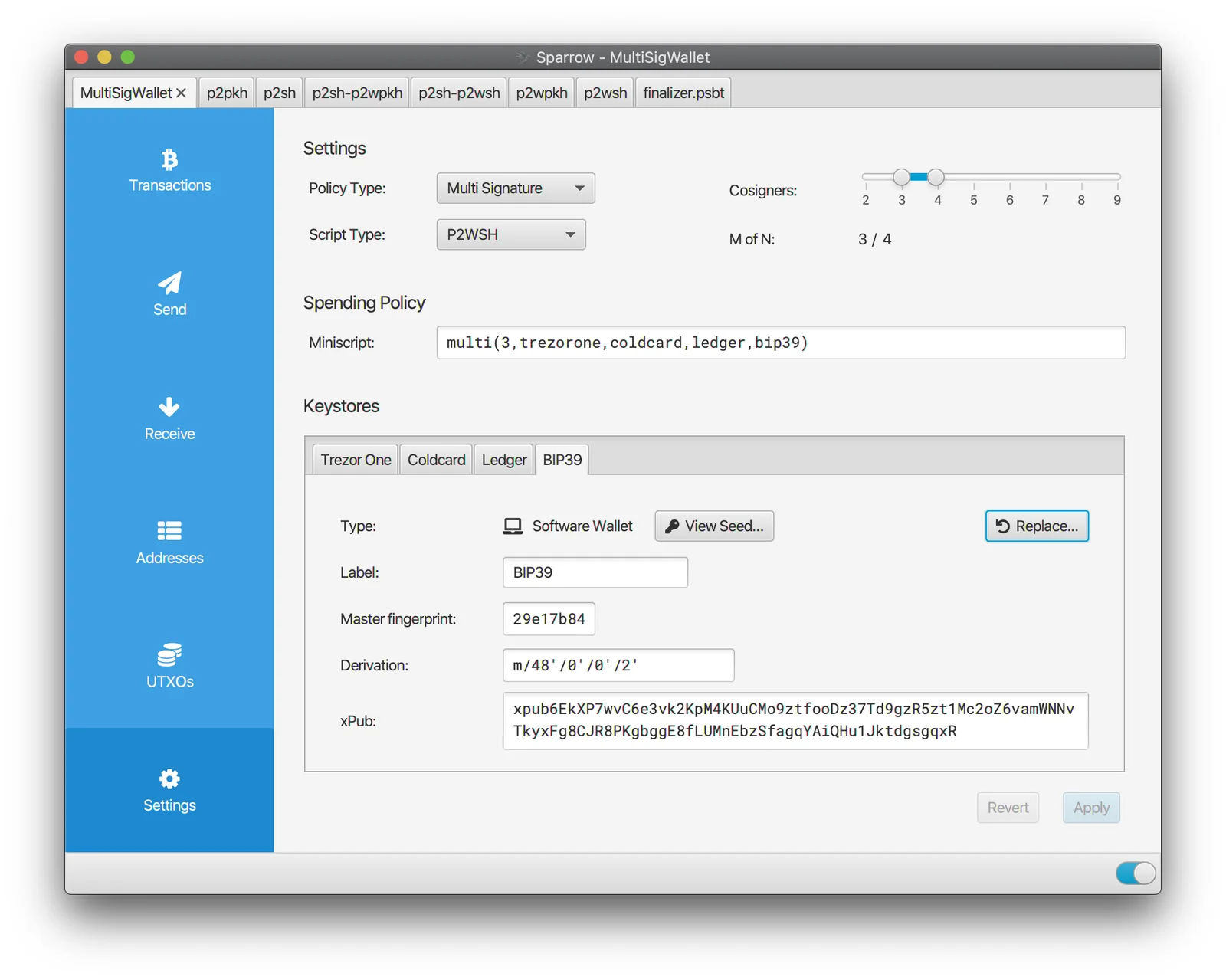
Once you’re running, read the project’s best practices page. It puts single signature on a public server up to $10,000, single signature behind your own Bitcoin Core node up to $100,000, and 2-of-3 multisig or better with a private Electrum server above that. At the multisig tier it also wants devices from different vendors and backups kept in separate places, which is close to what we say in our multisig wallet recommendations.
Three Sparrow Wallet Alternatives Worth a Look
Electrum
Electrum is the comparison everyone reaches for, and fairly. Electrum-4.8.2 is the current build, free under the MIT licence from Electrum Technologies GmbH, running on Linux, Windows, macOS and Android.
SPV checks your history, watching-only wallets cover cold storage, multisig is there, and third-party plugins handle multisig services and hardware wallets. Since Sparrow imports and exports Electrum wallets, encrypted ones included, you aren’t locked in either direction. Our Electrum wallet review digs into the rest, including an Android app that Sparrow can’t match.
Nunchuk
Nunchuk keeps to Bitcoin and organises itself around multisig. Its own pitch is “the first Bitcoin inheritance solution designed to outlive the company that created it”, plus “the world’s first multi-user multisig”. iOS, Android, Mac, Windows and Linux are all covered, and the desktop code is public.
Device support runs wide, taking in TAPSIGNER, Blockstream Jade, BitBox, Ledger, Trezor, SeedSigner, Foundation Passport, Keystone and Coldcard. Choose it over Sparrow when one wallet needs several hands on it, or when a phone has to be part of the picture. Sparrow wins as a one-person cockpit, and our air-gapped wallet guide walks through the devices either app will sign with.
Trezor Suite
Trezor Suite is Trezor’s own app, on desktop, on the web, and on iOS and Android. Thousands of coins and tokens are in scope, Bitcoin, Ethereum, Solana and Cardano among them, and it will buy, sell, swap, stake and track a portfolio.
Privacy basics are here too: Tor, coin control, and a custom backend for pointing it at your own full node. Easier than Sparrow by a mile, and thinner on Bitcoin. Our Trezor Safe 5 review looks at a device Sparrow supports as well, so Suite now and Sparrow later on the same seed is a real path.
FAQ
Is Sparrow Wallet actually safe?
Broadly yes, with one caveat that matters: it’s exactly as safe as the computer underneath it. Argon2 guards the wallet file, and bitcoin.org hands Sparrow a “Good” on privacy and fees while tagging its environment “Caution”, because desktops catch malware. Plug in a hardware wallet and the signing key stays off the machine entirely.
Does Sparrow Wallet cost anything?
No. It’s open source under Apache 2, with no premium tier and no subscription, and donations pay for the work.
Can Sparrow hold altcoins or use Lightning?
Neither. Sparrow is on-chain Bitcoin, full stop. Lightning turns up nowhere on the official site, and altcoins aren’t supported in any form.
Which hardware wallets pair with Sparrow Wallet?
Over USB it handles the Trezor, Ledger, Coldcard, BitBox02, Blockstream Jade, KeepKey and OneKey. Airgapped by SD card or QR code, it handles the Coldcard, Keystone, Passport, Specter DIY, Krux and SeedSigner. The Tapsigner, Satschip, Satochip and Keycard work as smartcards.
Does Sparrow Wallet run on a phone?
No, and there’s no sign of one coming. It’s a desktop program for Windows 10 or later, macOS 11 or later, and Linux on Intel, AMD and ARM64. Linux users also get a headless Sparrow Server build, which isn’t a phone app either.
My computer died. Now what?
Restore from your BIP39 words on a fresh machine. Coins that look absent afterwards usually mean the gap limit needs raising in Settings > Advanced, where it starts at 20. A passphrase wallet needs its passphrase as well, because Sparrow keeps nothing derived from it in the file.
Do I have to run a node for Sparrow Wallet?
Not at first. The project’s best practices page caps a public server at $10,000, suggests your own Bitcoin Core node up to $100,000, and wants 2-of-3 multisig with a private Electrum server beyond that.
Can Sparrow unstick a low-fee transaction?
Yes. Replace by Fee covers it when the unconfirmed transaction has RBF-enabled inputs, and Child Pays For Parent works by spending its outputs at a higher rate.
Our Final Verdict on Sparrow Wallet
Install it if your stack is Bitcoin, you already own a signing device, and you want eyes on every part of a payment. Device support is broader than most, the fee and coin controls are genuinely good, and the verification work in 2.5.4 reads like a developer who has stopped trusting servers. Six years of releases and reproducible builds sit behind that.
We’d think twice if Bitcoin is one holding among several, if the wallet has to live in your pocket, or if gap limit and output descriptor still mean nothing to you. Begin with the app that shipped with your hardware wallet, then circle back when that app starts feeling like a cage. Our call: the strongest desktop Bitcoin wallet going for people who know what they want, and a rough first wallet for anybody else.
This article is for general information only and is not financial, legal, or investment advice. Prices and features change; check the vendor’s official page before buying.