Most people spend a week choosing an exchange and about four seconds choosing a wallet. It should be the other way round.
The exchange is where you buy; the wallet is where you live, and it’s the wallet that settles whether the coins are really yours and whether staking is a quick tap or a weekend project. We’ve been living with Solana wallets through 2026, and these are the 7 we’d trust with our own SOL: three software wallets made for Solana, three hardware devices, and one multi-chain phone app that handles Solana well enough to belong here.
The order isn’t arbitrary. We started with each wallet’s security record, then looked at how it feels to use, what it costs, what happens when you lose your phone, and how much of its code you can actually inspect.
Because this is a Solana list, staking, SPL tokens (Solana’s token standard) and hardware-wallet support counted extra. Every price comes with the month we checked it, because these numbers move.
If you only read one sentence, make it this one: get Phantom, and put a Ledger Flex or a Trezor Safe 5 behind it once the balance is large enough to keep you up at night. One definition before the list. A software wallet stores your keys on a phone or laptop that’s connected all day; a hardware wallet stores them on a separate device that does nothing but sign what you approve.
Our custodial vs non-custodial wallets explainer covers the difference properly if it’s new to you. Everything below is non-custodial: the keys are yours, the 12 to 24 recovery words are the only way back in, and there’s nobody to call if you lose them.
A Solana wallet is an app or device that holds the keys to your SOL and SPL tokens and signs your transactions on the Solana network.
Moving coins between two of these apps follows the same pattern, covered in this walkthrough on how to send Solana to another wallet.
Table of contents
The Whole List at a Glance
Every price here is what the maker’s own store showed in September 2026. The software wallets are free to install, so for those the comparison is really about fees: the network fee everyone pays, plus, with a couple of them, a slice of each swap.
Solana Wallets We’d Use, Compared | |
|---|---|
| Phantom | Our pick for most people. Does everything in one app, talks to Ledger, and warns you before a bad signature. Free to use, though certain swap pairs cost 0.85%. Code: the wallet is closed; only the blocklist and audit reports are public. |
| Solflare | The one for stakers. Choose your validator, unstake in an instant, connect a Ledger or Keystone from the phone app. Free. Code: not published. |
| Backpack | For traders, and for anyone who already owns a Ledger, a Trezor or a Keystone, since it works with all three. bpSOL liquid staking. Free. Code: public, GPL-3.0. |
| Ledger Flex | The hardware we’d pair with Phantom. EAL6+ secure element, E Ink touchscreen, Bluetooth. $249 as of September 2026. Code: apps are open, the secure element code isn’t. |
| Trezor Safe 5 | For people who want to read every line. EAL6+ secure element, stakes SOL from inside Trezor Suite. $129 as of September 2026. Code: fully open. |
| Tangem Wallet | Cold storage on the cheap. NFC cards you tap against your phone, no battery, warranty good for 25 years. $59.90 for two cards, $69.90 for three, September 2026. Code: the app is open. |
| Trust Wallet | When Solana is one of a dozen chains you hold. 100+ blockchains in one app, SOL staking in a few taps. Free. Code: only the Wallet Core library. |
1. Phantom: Where Almost Everyone Should Start
Try any Solana app and look at which wallet it assumes you’ve got. Almost always, the answer is Phantom.
It runs as an extension in Chrome, Brave and Edge and as an app on iPhone and Android, and Phantom puts its own user count at 20+ million. It also outgrew Solana some time ago: Ethereum, Base, Polygon, Bitcoin, Sui, HyperEVM and Robinhood Chain share the same interface, so a single seed phrase can hold most of what you own.
Fees, security and hardware support are covered in the full Phantom wallet review.
It earns first place by combining two qualities that rarely turn up together: it handles the everyday chores without fuss, and it’s unusually candid about security. Both of its audits are published, one by Kudelski Security in 2021 and one by Least Authority in 2024. There’s a bug bounty worth up to $50,000, and an open-source phishing blocklist that now covers more than 2,000 domains.
It isn’t flawless. The wallet’s own code is closed, and on select pairs a swap adds a 0.85% fee to the network cost. We’d install it before anything else all the same.
What You Get With Phantom
- Standard staking starts at 1 SOL. From the extension, open Solana, choose More, then Stake SOL, then Native Staking, pick a validator and confirm; the rewards begin arriving after two to three days.
- There’s a liquid option too. Stake SOL, receive PSOL, keep earning while you can still trade the token. Phantom’s cut is 4% of the rewards, plus 0.1% when you cash PSOL back out.
- Ledger owners are well looked after. Nano X, Stax and Flex pair over Bluetooth on the phone; Nano S, Nano S Plus, Stax and Flex plug into the extension by cable.
- Every transaction gets previewed by Blowfish before you sign. Phantom says that service has looked at over 85 million transactions and blocked over 18 thousand that were designed to drain a wallet.
- On privacy, Phantom’s line is that it never logs personally identifiable information and never tracks what you hold.
One line from Phantom’s help pages deserves repeating because people keep ignoring it: your recovery phrase never gets typed into Phantom, into a website, or into any other app, and Phantom will never ask you for it. If you’re about to move coins off an exchange for the first time, read our crypto wallet vs exchange piece first; owning the keys changes a few habits.
2. Solflare, If Staking Is the Whole Point
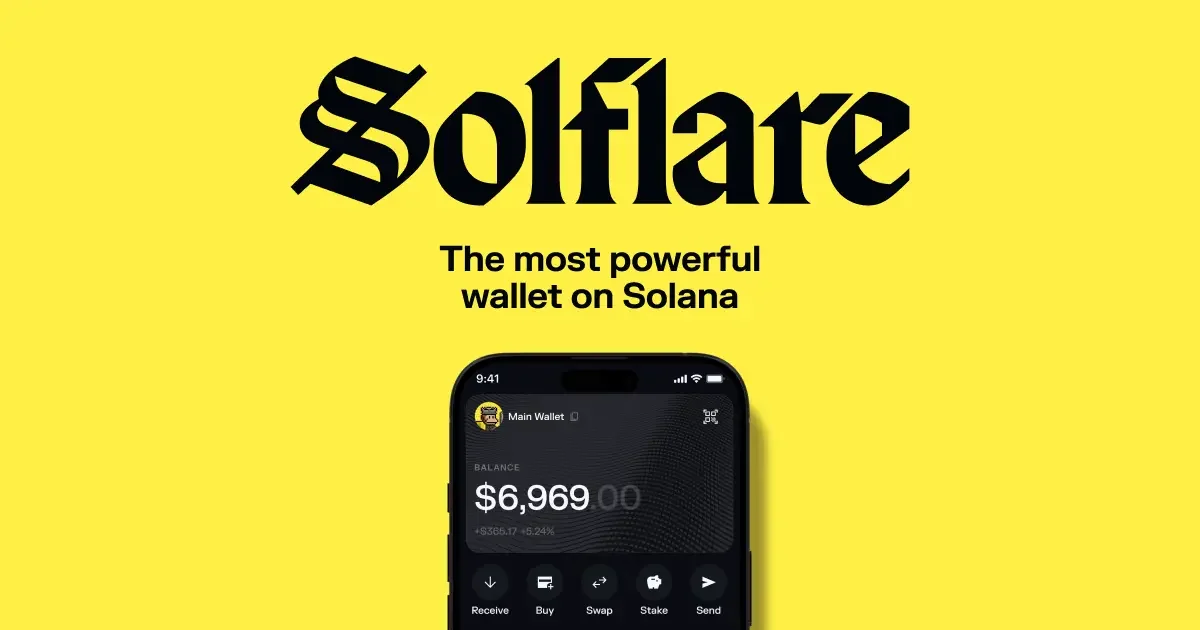
Solflare doesn’t pretend to be anything other than a Solana wallet. Solrise Finance built it, a company started in 2021 and registered in the British Virgin Islands, and you can run it as a browser extension, in a web app, or on iOS and Android.
They report 4M+ active users. Even Solana’s own staking page points to Solflare as a user-friendly wallet that supports staking, which is about as clear a hint as you’ll get about what the product is for.
Second place is entirely down to the staking. You choose the validator (Solflare runs one itself, if you can’t be bothered choosing), rewards arrive every 2 days, and when you unstake there’s a 2-day lock. Can’t wait 2 days?
For the fuller picture, my full Solflare review takes the wallet on its own terms.
Instant unstake exists, but the fee can run to 1-3%, which we’d think twice about. Opening a stake account costs a 0.002 SOL network fee, refunded when you close it. Now the complaints.
Solflare hasn’t published its wallet code. It only speaks Solana. And that 6.54% figure on its staking page is an estimate; treat it as weather, not a contract.
The Bits of Solflare Worth Knowing
- Any validator is available to you, and commissions mostly land somewhere between 0% and 10% of rewards.
- The phone app connects to Ledger and Keystone hardware, which is more than Phantom’s phone app manages.
- Bulk burn and bulk send are there for clearing out the spam tokens every Solana wallet eventually collects. Solana Pay is supported as well.
- Beyond that you get swaps in the app, NFTs, perpetual futures trading, and a debit card that spends from your own custody.
- Support is 24/7 live chat, backed by a help center at academy.solflare.com.
A warning from experience: connecting a Ledger to Solflare means allowing USB permissions in the browser and enabling Blind Signing in the Ledger app, and the number of people who get stuck on one of those two steps is remarkable. If you’d prefer an air-gapped device that also plays nicely with Solflare, our Keystone 3 Pro review explains the QR-code signing routine.
3. Backpack, for Traders and Hardware Collectors
Backpack is really two things wearing one logo: a wallet and an exchange. The wallet runs on iOS, Android and as a Chrome extension, and beyond Solana it covers Ethereum, Monad, Sui and 9+ other chains, Arbitrum, Base, Optimism, Polygon, Eclipse and Sonic among them.
If you are still choosing between those two ecosystems, read the head-to-head of Solana and Sui before picking a wallet.
If Sui is one of the chains you want, Sui vs Aptos compares it with its closest rival.
The exchange does spot, futures and lending. For someone who trades a lot, being able to hop between wallet and order book without leaving the brand is the appeal.
What got it onto our list, though, is hardware. Backpack is the only wallet here that connects to Ledger, Trezor and Keystone, all three, so whatever device is already in your drawer will work. Its wallet code is also public, on GitHub, under GPL-3.0.
There’s a separate review of the Backpack wallet for anyone leaning that way.
We’d love to leave it there, but the README in that very repository says the code is unaudited and not ready for production. So the public code is a window you can look through, not a guarantee of anything. On the staking side, bpSOL liquid staking charges a 0% validator fee.
The Bits of Backpack Worth Knowing
- Three hardware wallets are supported: Ledger, Trezor and Keystone. You get there through Add Account, then Import Wallet, then your network, then the hardware wallet option.
- bpSOL liquid staking, with the validator fee set at 0%.
- Solana, Ethereum, Monad, Sui and the major EVM networks all sit under one recovery phrase.
- The code lives at coral-xyz/backpack on GitHub, GPL-3.0 licensed.
- The exchange, with spot, futures and lending, is a click away at backpack.exchange.
You’ll notice there’s no product image in this section. Backpack doesn’t publish one large enough for us to use, so the screenshots on backpack.app will have to do. And if the plan is to trade straight from the wallet, please read our beginner’s guide on how to use a decentralized exchange before you do, because the errors that hurt people there are the same ones that empty Solana wallets.
4. Ledger Flex, the Hardware We’d Buy
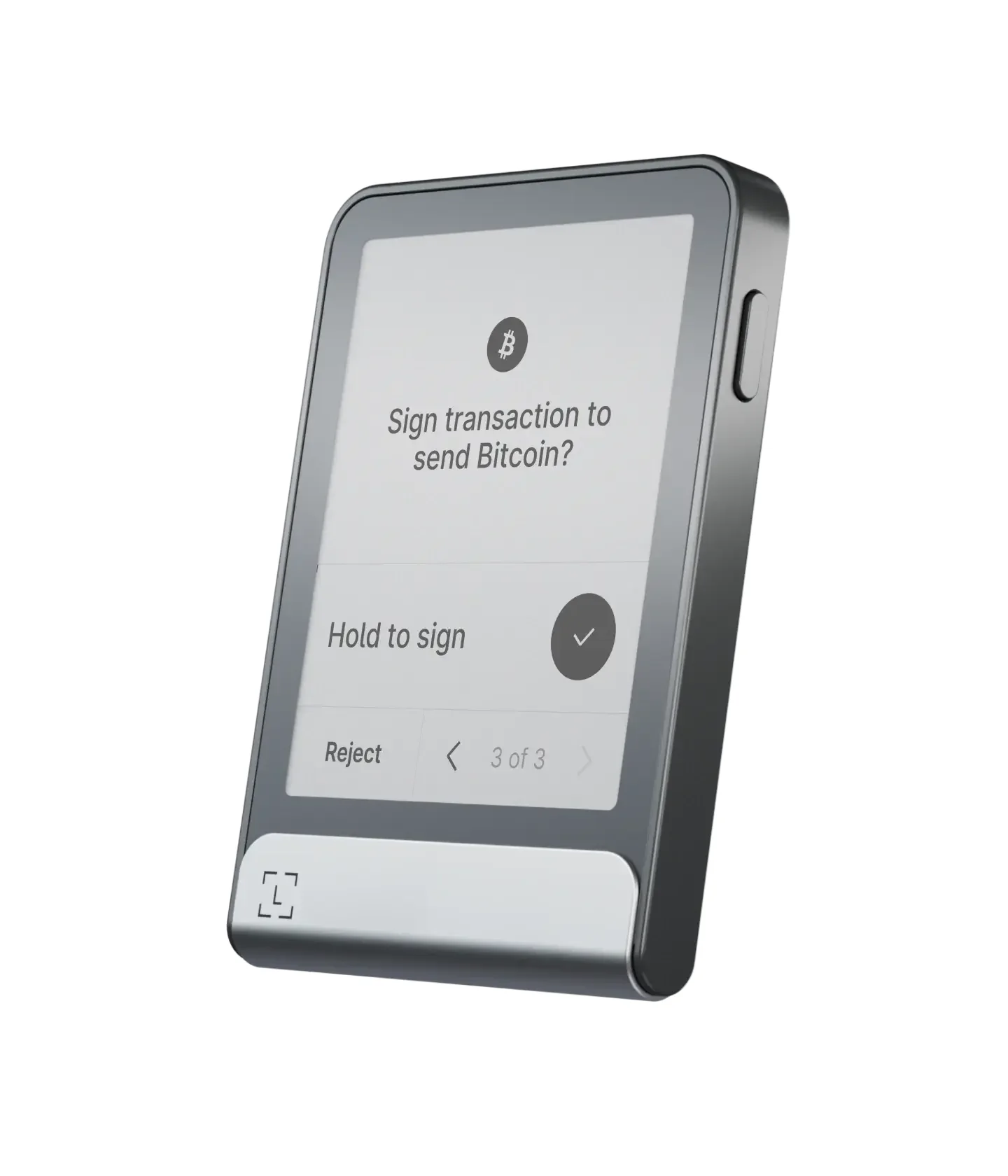
The Flex costs $249 in September 2026, and for that you get a proper screen: 2.8 inches of E Ink, 480 x 600 pixels, behind Gorilla Glass. The keys sit in an ST33K1M5 secure element, the tamper-resistant sort of chip, rated CC EAL6+. Bluetooth, USB-C and NFC are all there.
Ledger claims 10 hours from the battery, and the device weighs 57.5 grams, which is to say you’ll forget it’s in your pocket. The Ledger Wallet app handles 500+ coins directly, Solana included, and reaches thousands more through other wallets.
We made it the hardware pick for one boring, decisive reason: Phantom, Solflare and Backpack all support it. Bluetooth means Phantom on your phone can sign with the Flex without a cable in sight. Ledger’s own app stakes SOL from its Earn tab, quotes something like 5-7% APY (no promises), and makes you wait one epoch, about 2-3 days, when you unstake.
The weak point is transparency. Ledger’s deal with STMicroelectronics, which makes the chip, keeps the low-level secure element code private, so only part of the operating system can be reviewed by outsiders.
It’s also the dearest thing on this page. If $249 is too much, Ledger’s Nano Gen5 is $179 (September 2026).
The Bits of the Ledger Flex Worth Knowing
- Keys never leave the ST33K1M5 secure element (CC EAL6+), which means malware on your laptop has nothing to steal.
- The 2.8-inch E Ink touchscreen shows 16 shades of gray and, more usefully, an entire address before you sign.
- Bluetooth (BLE 5.2), USB-C and NFC, so you’re never stuck without a way to connect.
- Phantom (phone and extension), Solflare, Backpack and Ledger Wallet all recognise it.
- You can stake SOL inside Ledger Wallet with no fixed minimum, though leave a little SOL aside for fees.
Same Ledger security for less money? Our Ledger Nano X review covers a device that also pairs with Phantom over Bluetooth.
Same design with more money thrown at it? That’s our Ledger Stax review.
5. Trezor Safe 5, When You Want to Read the Code
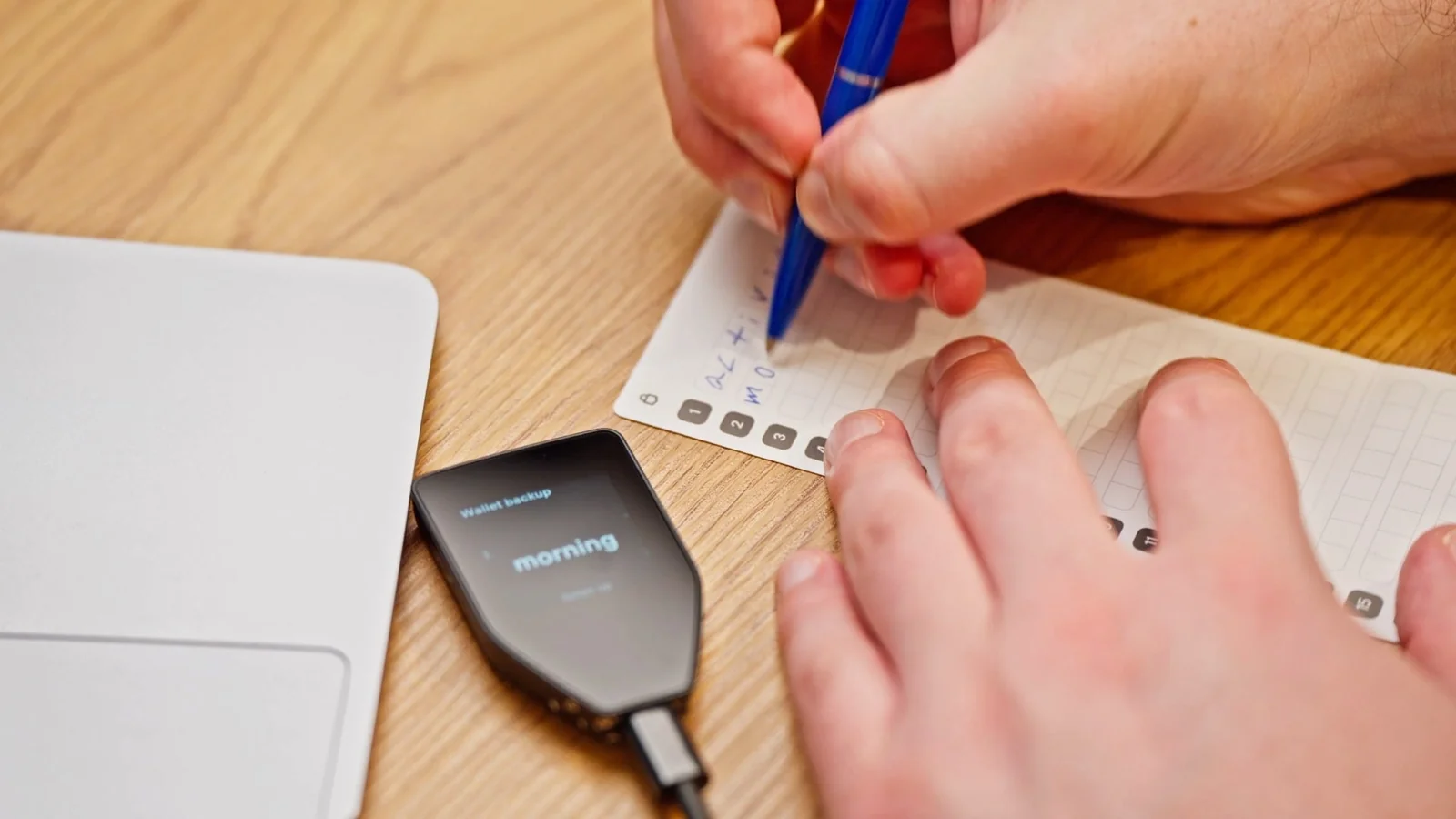
$129 buys a Trezor Safe 5 in September 2026. The screen is smaller than the Flex’s, a 1.54-inch color touchscreen at 240 x 240 pixels under Gorilla Glass 3, but it’s a color screen and it’s perfectly readable.
The secure element is EAL6+, and Trezor makes a point of calling it NDA-free, a jab at the chip contract Ledger is stuck with. Trezor Suite handles SOL and SPL tokens, and since January 2025 it has handled the newer Token-2022 tokens too.
It’s here because it’s the only hardware wallet on the list that’s fully open source and can stake SOL from its own desktop app. That staking runs through Everstake: 1 SOL minimum, up to 7% APY according to Trezor, and Everstake takes 7% of your rewards for the trouble. Unstaking has a cool-down of around 2 days.
Now the awkward part for Solana people. Phantom only supports Ledger hardware, so a Trezor has to be driven from Trezor Suite or from Backpack.
Deciding between the two software wallets first? This Phantom vs Backpack comparison lays out how they differ.
There’s no Bluetooth. And if you own the old Model One, forget it; that device doesn’t do Solana at all.
The Bits of the Trezor Safe 5 Worth Knowing
- Trezor’s whole philosophy is that security begins with code anybody can read, and the Safe 5 lives up to it.
- The EAL6+ secure element comes without an NDA attached.
- SOL staking inside Trezor Suite: 1 SOL to start, Everstake as the validator, roughly 2 days to unstake.
- SPL and Token-2022 tokens both show up and send from Suite.
- If $129 is more than you want to spend, the Trezor Safe 3 at $59 (September 2026) does the same Solana things on a small monochrome screen.
We went over this device inch by inch in our Trezor Safe 5 review. Still torn between the two big brands? Ledger vs Trezor gets into everything that has nothing to do with Solana.
6. Tangem, Cold Storage From $59.90
Tangem’s wallet is a card. Credit-card sized, no screen, no battery, no cable, nothing to charge. You tap it against your phone and the phone’s NFC reader powers the EAL6+ chip inside for as long as it takes to sign.
Two cards are $59.90, three are $69.90, both as of September 2026. The app covers 14100+ tokens across 90 blockchains, Solana obviously among them, and the cards carry a 25-year limited warranty and an IP69K rating, which is engineering-speak for “survives things a card shouldn’t.”
It’s the cheapest way on this list to keep Solana keys off anything with an internet connection, and Tangem publishes its app code on GitHub. SOL staking landed in the app in September 2024, with a 0.01 SOL minimum and validators sorted by APR, and your stake stays locked until the current epoch finishes, which usually means two to four days. The design that makes it cheap also creates its flaws.
There is more detail on the card setup in the standalone Tangem Wallet review.
No screen on the card means you verify addresses on your phone and trust what the phone shows. The seed phrase is optional, so unless you go out of your way to create one, the spare cards are your only backup. And it won’t connect to Phantom, Solflare or Backpack.

The Bits of Tangem Worth Knowing
- An EAL6+ certified secure element that your phone powers over NFC, so there’s nothing inside the card to run flat.
- The extra cards in the pack are your backups; a seed phrase is there if you want it, not by default.
- Staking SOL goes Stake, then an amount, then Next, then Stake again, then your access code or fingerprint.
- IP69K rated, nothing that can die, 25-year limited warranty.
- The app’s code is on GitHub for anyone who wants to look.
Tangem is for people who like the idea of cold storage but not the ceremony of a desktop app. Our list of the best crypto cold wallets has the other offline options, air-gapped devices included.
7. Trust Wallet, When Solana Is One Chain of Many
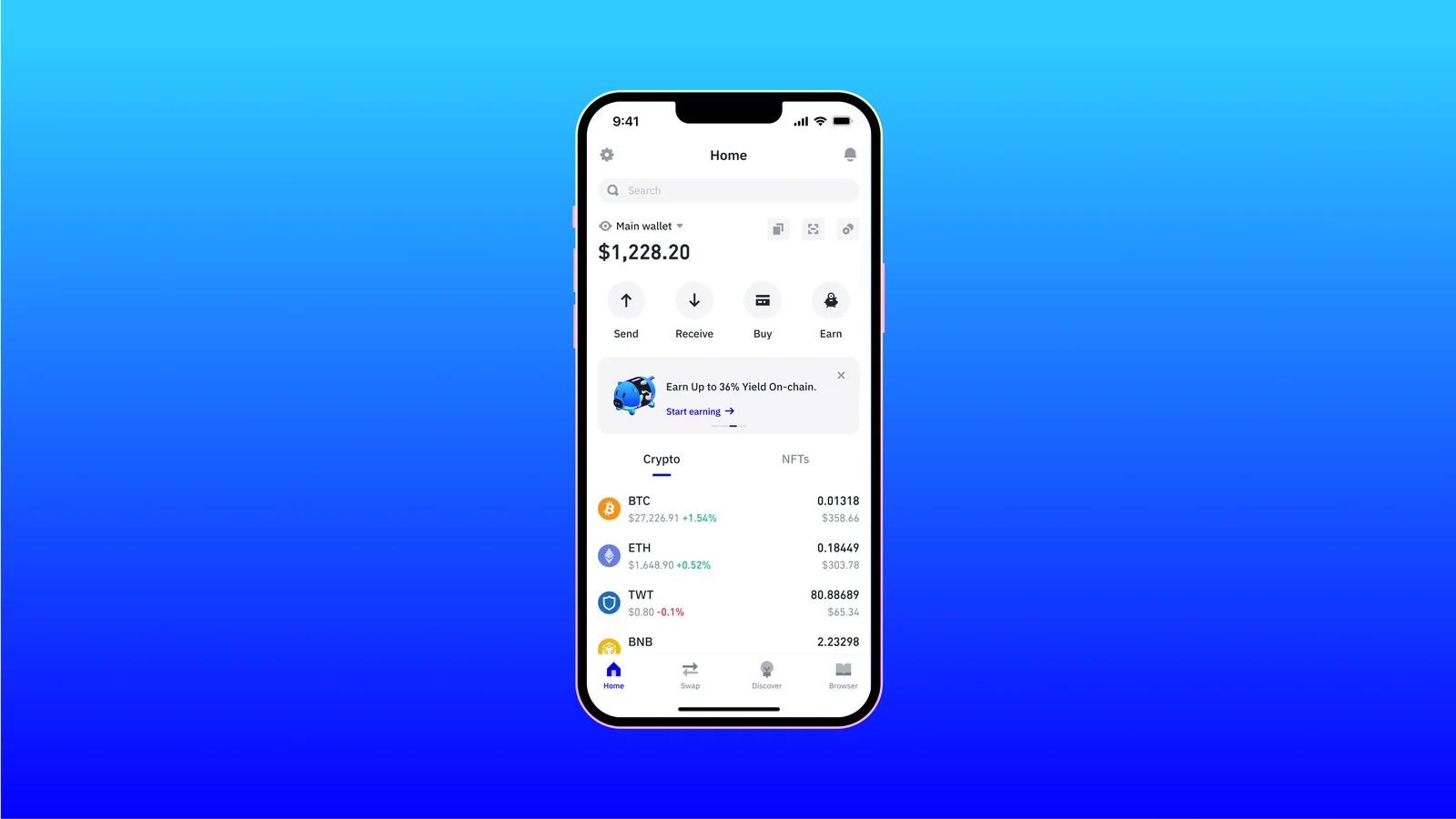
Trust Wallet does 100+ blockchains from one app, on iOS, on Android and in a browser extension. It’s been around since 2017, Binance bought it on July 31, 2018, and it says over 200 million people trust it.
The Wallet Core library underneath is open source. The app built on top of that library has never been published.
It gets the last slot for a specific kind of person: the one whose Solana lives next to a dozen other chains and who wants a single app for the lot. Staking SOL is a few taps, Discover, then Earn, then View All under Native Staking, then SOL, then Stake. You need 1 SOL, rewards appear after 2 epochs, and getting out takes one epoch, around 2-4 days, plus a claim transaction.
The trade-offs are obvious ones. Binance owns it, which some readers will never be comfortable with, and the Solana toolkit stops at send, swap and stake.
Want bulk burn or liquid staking? Solflare or Backpack.
The Bits of Trust Wallet Worth Knowing
- 100+ blockchains and 10M+ assets, Solana in there somewhere.
- SOL staking from 1 SOL, with a validator of your choosing or the default, and a one-epoch unstake.
- iOS, Android and a browser extension.
- Trust Wallet quotes its own ratings as 4.7 on the App Store and 4.6 on Google Play.
- Wallet Core is public; the rest isn’t.
Trust Wallet keeps finishing as a runner-up in our best mobile crypto wallets ranking, and we set it against its biggest rival in MetaMask vs Trust Wallet.
How the Ranking Was Decided
Security, and a Bad Day in 2022
Solana has a scar here. On August 2, 2022 it came out that the Slope wallet app had been shipping users’ private key material off to a monitoring service, and attackers helped themselves to 9,231 wallets, about $4.1 million in all.
Solana’s post-mortem was careful to say hardware wallets weren’t touched. We’ve never forgotten that, which is why published audits, bug bounties and hardware pairing count for so much in this list, and why anything with no public security record sank toward the bottom.
Asset Support
All 7 handle SOL, so that’s not where the points came from. Depth of SPL token support, Token-2022 and decent NFT handling earned credit. So did keeping other chains under the same recovery phrase, because in our experience hardly anyone holds Solana and only Solana.
Day-to-Day Usability
How many taps to stake? Does the wallet show what a transaction will actually do before you sign? Do the help pages name the buttons, or do they wave vaguely at “the settings menu”?
Phantom, Trust Wallet and Tangem answer those best. Backpack’s documentation is where it falls behind.
Cost
With the software wallets being free, fees are the real comparison: Phantom’s 0.85% on certain swaps, Solflare’s 1-3% for an instant unstake, the 7% of rewards Everstake keeps when you stake through Trezor. Hardware prices are from each maker’s store in September 2026, Tangem from $59.90, the Trezor Safe 5 at $129, the Ledger Flex at $249.
Backups
None of these companies can get you back into your wallet. That’s the deal with non-custodial. Your recovery phrase (Solflare’s is 12 to 24 words, to give one example) is the whole backup, so it goes on paper, never into a website, and never to anyone who phones up claiming to be support.
Tangem is the odd one out because its seed phrase is optional, which quietly turns your backup cards into the seed phrase. Guard them like you’d guard the words.
Open Code
Just two of the seven, Backpack and Trezor, publish their wallet code in full. Tangem publishes the app. Ledger publishes its apps and SDK and keeps the secure element code to itself.
Trust Wallet publishes Wallet Core. Phantom publishes the blocklist and the audit reports.
Solflare gives you SDKs and that’s about it. We like open code, but we didn’t let it outrank a solid audit history and a clean incident record.
So Which One Should You Get?
If you’re new and the amount is modest, Phantom, on your phone and in your browser. It’s free. Write the recovery phrase down before anything goes in, and leave staking and swaps alone until sending and receiving feel boring.
If staking is why you’re here, Solflare, for the validator choice and the instant unstake. If you’d rather the keys sat on hardware while you stake, the Trezor Safe 5 does it from inside Trezor Suite with a 1 SOL minimum.
If you’re holding more than you could shrug off losing, buy a Ledger Flex, set it up fresh out of the box, and connect it to Phantom over Bluetooth. Phantom handles the apps, the Flex holds the keys, and every address gets shown on the Flex’s own screen before anything is signed.
If Solana is one of many chains in your life, Trust Wallet or Backpack will keep everything under one recovery phrase, and Backpack adds support for whatever hardware wallet you already own.
Whichever you end up with, the same ritual applies every single time you send: check the first and last characters of the address on the receiving side, and check the network says Solana. Wrong network or wrong address and the coins are gone, and there is no one, anywhere, who can bring them back. Our explainer on what a wallet address is shows what a Solana address looks like next to the other chains’ formats.
Questions People Ask Us About Solana Wallets
I’m a beginner. Which Solana wallet do I start with?
Phantom. It’s on Chrome, Brave, Edge, iOS and Android, it previews what a transaction will do before you sign, and its help pages actually name the buttons for staking and for hooking up a Ledger. Write down the recovery phrase before you deposit a single coin.
Will my Ledger work with Phantom?
Yes. Phantom on a phone pairs over Bluetooth with the Nano X, Stax and Flex. In the browser extension it connects to the Nano S, Nano S Plus, Stax and Flex by cable. Install the Solana app on the Ledger first, and only enable blind signing for the apps you really use.
What about Trezor and Solana?
The Model T, Safe 3, Safe 5 and Safe 7 all do Solana through Trezor Suite, including SPL and Token-2022 tokens and SOL staking from 1 SOL. The Model One doesn’t. And because Phantom doesn’t support Trezor, you’ll be using Trezor Suite or Backpack.
How much is a Solana transaction?
5,000 lamports per signature as the base fee, which is 0.000005 SOL, and apps can stack a priority fee on top. A brand-new account also needs a small refundable minimum balance to stay on chain, about 0.00089 SOL for a basic one.
How long does it take to unstake SOL?
Stake changes only happen at the edge of an epoch, and an epoch on Solana is about 2 days long, which is why wallets usually say 2 to 4 days. If that’s too slow, Solflare’s instant unstake costs up to 1-3%, and Phantom’s PSOL can normally be exited straight away for 0.1%.
Is Phantom open source?
The wallet itself, no. Phantom does publish its phishing blocklist, its SDKs and its audit reports from Kudelski Security (2021) and Least Authority (2024). If you want fully open code, Backpack and Trezor are the two on this list.
Was Phantom part of the 2022 Solana hack?
No. What happened on August 2, 2022 traced back to the Slope wallet app, which had been sending private key material to a monitoring service; 9,231 wallets lost about $4.1 million. Solana’s report said hardware wallets were unaffected, and it told anyone who had ever imported a seed phrase into Slope to move everything to a fresh wallet.
Last Word
Phantom, then a Ledger Flex when the balance grows to the point where $249 feels like insurance rather than an expense. That’s the answer for most people, and we’re comfortable saying so. Stakers who care about validators go to Solflare.
People who need to read the code have Backpack and the Trezor Safe 5. Tangem covers the cheap seats, Trust Wallet covers the everything-everywhere crowd.
And the wallet is only half of it. If Solana’s history proves anything, it’s that the money gets lost in the handling of keys, not in the chain. So the recovery phrase stays offline.
Addresses get checked on a screen you trust. Anything big lives on hardware.
Still weighing Solana against the other networks? Our Polygon vs Solana comparison goes through fees, speed and how big each ecosystem really is.
None of this is financial, legal or investment advice, just our general take. Prices and features drift, so have a look at the official store before you spend anything.
How I review: Reviewed by Andrei B. I buy the hardware wallets I review, test every product myself and score it on security, UI/UX, ease of use, price and supported coins. Before I publish, I also check recent user reviews and any hack reports.
The whole process is explained on the How We Review page. You can read more about me, or contact me with corrections, from the links at the bottom of this page. For general safety advice, see the FTC guide to cryptocurrency scams.